How to deliver photos to clients
By xolqy.com · Published
Delivering photos to a client means handing over the final, edited files in an agreed format, usually through a private online link where the client can view and download them in full resolution. The best delivery is one link, clear instructions, files that are named and sized sensibly, and a date by which the client should download and back them up.
This guide covers the delivery step that comes after proofing. If your client hasn’t chosen their photos yet, start with how to let clients choose photos.
The options, compared
| Method | Good for | Watch out for |
|---|---|---|
| Email attachments | One or two images | Attachment size limits make full sets impossible; files get compressed or lost in threads |
| File-transfer links (e.g. WeTransfer) | A quick one-off send | Links often expire quickly; no preview, branding or download tracking. See WeTransfer for photographers |
| Shared cloud folder (Google Drive, Dropbox) | Clients who already use them | Looks like a folder, not a delivery; permissions and storage are on your personal account |
| USB drive or physical media | Packages that promise a keepsake | Cost, shipping and a device the client may not have; still back it up online |
| Client gallery / delivery page | Almost every shoot | Pick one with full-resolution downloads, ZIP for big sets and an expiry you control |
Most working photographers end up with a client gallery, because it’s the only option that shows the photos well and makes downloading easy.
Step 1: Agree what you’ll deliver before the shoot
Write it in the contract or quote:
- How many images (for example “60 edited images” or “all usable images”).
- Format and size. Usually full-resolution JPEG in sRGB, plus optionally a smaller web-size set.
- What’s not included. Raw files are normally excluded; say so.
- Delivery time (for example “within 3 weeks of the selection”) and how long the link stays online.
Step 2: Export the finals properly
- Export from your edit, not from the proofs: proofs are often smaller or watermarked.
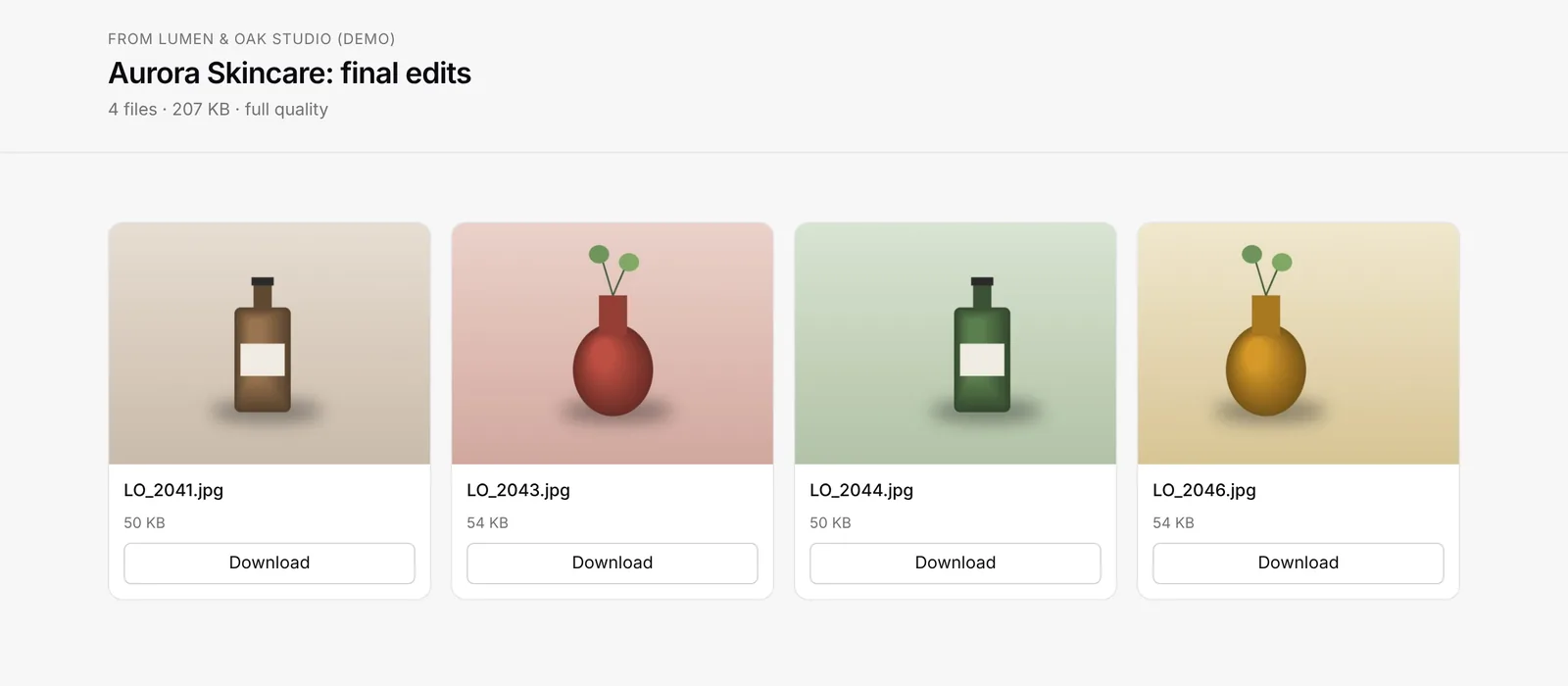
- Name files consistently. Keep the original number so a client can tell you “number 2041” and you can find it, for example
Aurora_2041.jpg. - Use sRGB for anything the client will view on screens or print at a consumer lab.
- If you’re giving a web set too, put it in a separate folder or delivery so the two don’t get mixed up.
Step 3: Upload and check
Upload the finals to your delivery tool and open the link yourself before you send it: on your phone, and in a private browser window. Check that every file is there and that downloads work.
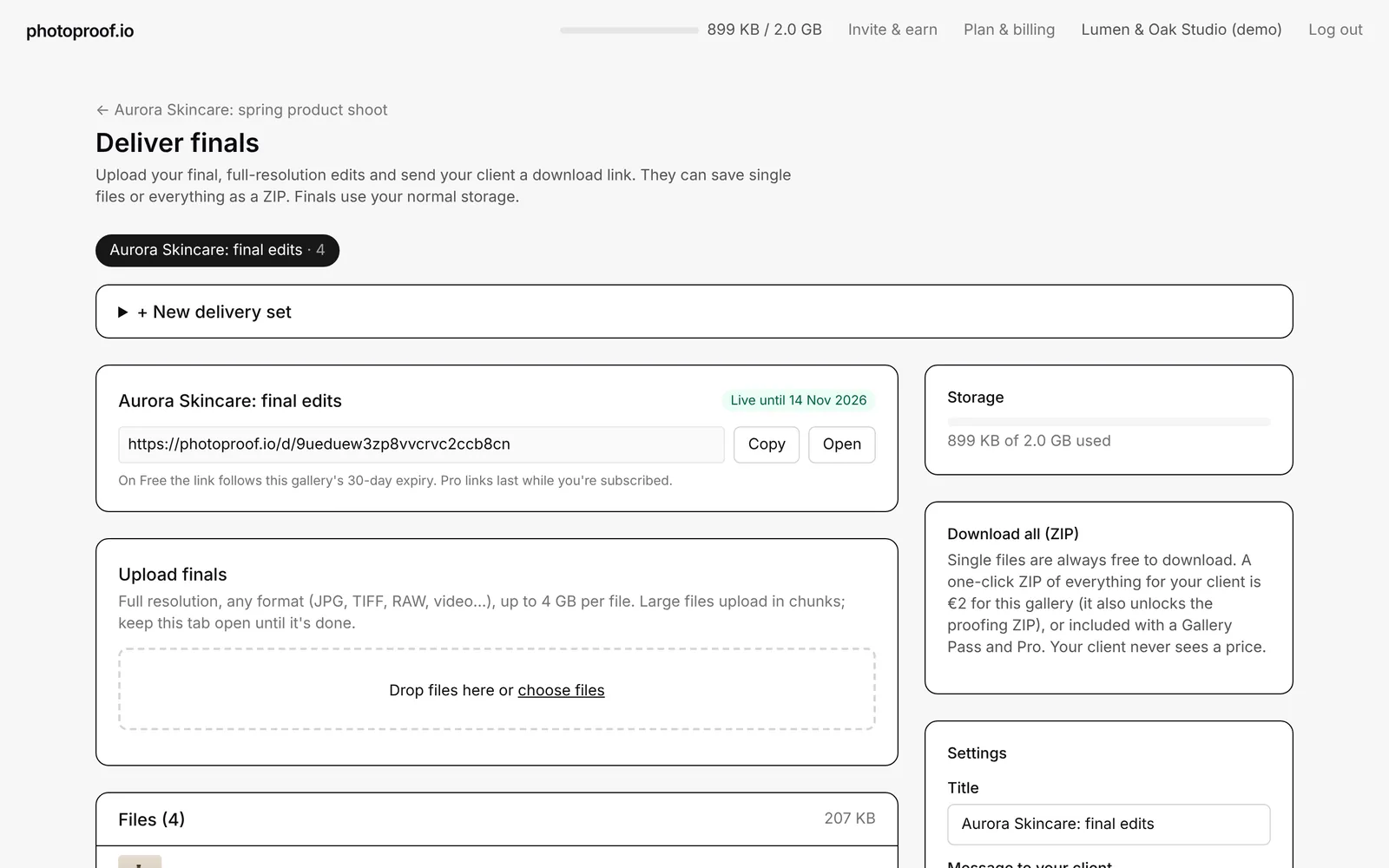
In photoproof.io you click Deliver finals on the confirmed gallery, drop in the files (any format, up to 4 GB each) and get a link. You can show the finals inside the same proofing link or as a separate delivery link.
Step 4: Send one clear message
A short message works better than a long one. For example:
Hi Anna, your final photos are ready 🎉 Here’s your private link: [link] You can download each photo, or everything at once with “Download all”. Please download and back them up by 14 November. After that the link will close. Any questions, just reply to this email.
Step 5: Make big sets easy to download
Weddings and events can run to tens of gigabytes. A single giant ZIP fails if the connection drops. Prefer a tool that offers single-file downloads plus ZIP parts of a sensible size. On photoproof.io, big sets are split into ZIP parts of about 2 GB.
Step 6: Confirm it arrived, then archive
- Check whether the client actually downloaded the files. Download tracking (on photoproof.io Pro and Studio) shows who downloaded what and when.
- Send one reminder a few days before the link expires.
- Keep your own archive of the finals according to your contract. A delivery link is not a backup.
Delivery checklist
- Contract states the number of images, format, what’s excluded, delivery time and link lifetime.
- Finals exported in full resolution, sRGB, consistently named.
- Uploaded and tested on a phone and in a private window.
- One message with the link, the download instructions and the expiry date.
- Big sets offered as single files plus ZIP parts.
- Download confirmed; reminder sent before expiry; your own archive kept.
Delivering with photoproof.io
photoproof.io keeps proofing and delivery in one place: the client chooses and confirms in the proofing gallery, then you deliver the finals from the same gallery. Delivery is on every plan, including Free (within 2 GB); a €5 Gallery Pass keeps a gallery and its delivery for 90 days, and Pro (€8/month) adds download tracking and password-protected delivery links. See pricing or client galleries for photographers.
Watch it in 30 seconds
How to Deliver Photos to Clients (Not by Email)
Upload full-resolution edits to photoproof.io and your client gets a branded download link: single photos or everything as one ZIP. On Pro, protect the link with a password and see who downloaded what, and when.
Frequently asked questions
What is the best way to deliver photos to clients?+
For most shoots, a private online gallery or delivery page: one link, full-resolution files, single downloads or a ZIP, and no client account. Email attachments are too small for a full set, and transfer links usually expire quickly. Add a USB or print product only if your package promises one.
How do photographers send photos to clients?+
Most use an online client gallery or delivery link. The photographer exports the edited finals, uploads them, and sends the client one link to view and download everything. Some still use file-transfer services or shared cloud folders, and a few deliver on USB drives.
Should I send full-resolution photos to clients?+
If your contract or package includes digital files, yes: deliver full-resolution JPEGs, and optionally a web-sized set for social media. Raw files are usually not part of a standard delivery. Say what's included in your contract before the shoot.
How long should I keep a client's delivery link online?+
Long enough for the client to download and back up the files. Tell them the date the link expires and ask them to save everything. On photoproof.io, Free deliveries follow the gallery's 30-day expiry, a Gallery Pass keeps them for 90 days, and Pro and Studio links last while you're subscribed.
How do I know whether my client downloaded the photos?+
Use a delivery tool with download tracking. On photoproof.io Pro and Studio, every single-file and ZIP download is listed with date, time and device, so you can see what was downloaded and when.
Can I send a whole wedding as one ZIP file?+
You can, but one very large ZIP is fragile: if the connection drops, the client starts again. photoproof.io splits big sets into ZIP parts of about 2 GB, so a 30 GB wedding is 15 manageable downloads, and single files can be downloaded separately.