Picflow alternative: simple proofing without the extras
By xolqy.com · Published · Updated
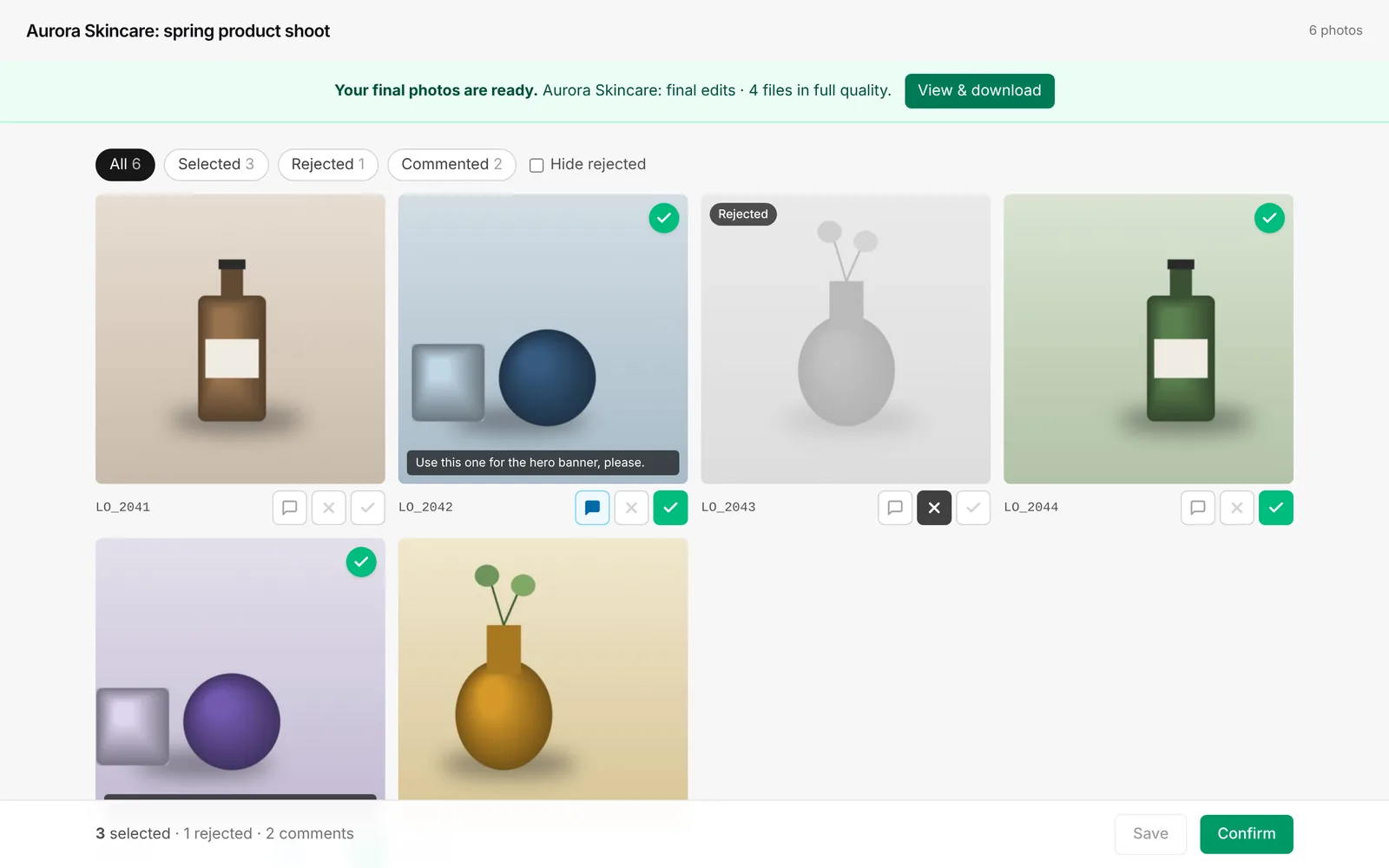
Picflow is the closest competitor to photoproof.io: both focus on client review and comments. Picflow is more powerful, with annotations, version control, Lightroom Classic and Capture One integrations, and team seats. photoproof.io is simpler: one link, select or reject, comment, confirm. Teams and agencies will often prefer Picflow; solo photographers who want the smallest possible tool may prefer photoproof.io.
Checked October 2026. Prices and features of Picflow come from their public pages on that date and can change. Always confirm on Picflow's site. We make photoproof.io, so read this as a vendor comparison, not a neutral review.
The short answer
Of all the tools we compare ourselves with, Picflow is the most similar. Both put approval at the centre instead of print sales. The difference is depth: Picflow has grown into a review and collaboration platform for photographers, agencies and brands. photoproof.io stays deliberately tiny.
If you work in a team, need annotations, version control or Lightroom Classic and Capture One integrations, Picflow is likely the better tool. If you’re a solo photographer who wants to send a link and get a confirmed selection back, photoproof.io does that with fewer moving parts.
Picflow vs photoproof.io at a glance
| photoproof.io | Picflow | |
|---|---|---|
| Free plan storage | 2 GB | 2 GB |
| Free plan galleries | Unlimited (each expires after 30 days) | Unlimited |
| Paid plans | Gallery Pass €5 per gallery; Pro €8/mo or €72/yr (100 GB); Studio €19/mo or €180/yr (500 GB), VAT included | Plus (100 GB), Pro (1 TB), Biz (5 TB), Enterprise; reported at $12, $18 and $149/mo billed annually (see note) |
| Seats | 1 account | 1 seat on Free and Plus, 2 on Pro, 10 on Biz |
| Client account needed | No | No (unlimited reviewers) |
| Favourites, approval status, comments | Select, reject and comments; no separate favourites | Yes |
| Annotations on the image | No | Yes |
| Colour labels, version control | No | Yes |
| Confirm and lock selection | Yes | Approval limits listed |
| Lightroom / Capture One | Copy selected filenames to filter in Lightroom | Lightroom Classic and Capture One integrations |
| Password, watermark | Yes (burned-in watermark on proofs) | Yes |
| Visitor tracking | Basic view tracking | Yes |
| Custom domain, brand colours | No | Yes (paid) |
| Video | No | Yes |
| Workflow credits | Not applicable | 50/month on Free (per PricingSaaS) |
Picflow features from picflow.com/pricing, checked October 2026. Which plan includes each feature wasn’t readable on the page for us, so check Picflow’s comparison table. Prices are from the third-party PricingSaaS tracker, because they didn’t render on Picflow’s page when we checked.
Where Picflow is stronger
- Collaboration depth. Annotations, colour labels, version control, private comments and advanced permissions. photoproof.io has none of these.
- Integrations. Lightroom Classic and Capture One plugins, a browser extension, Dropbox, Drive and Box, Zapier, and analytics tags.
- Teams. Multiple seats, user groups, SSO and an uptime SLA on higher tiers. That fits agencies and brands.
- Room to grow. Up to 5 TB on Biz, plus video up to 4K HDR.
- SEO and content. To be fair, Picflow publishes a huge library of guides and tools, and it’s an excellent resource.
Where photoproof.io is stronger
- Fewer concepts. No seats, credits or plan matrix to read. One gallery, one link, four actions: select, reject, comment, confirm.
- An explicit finish. The client confirms, the selection locks, and the confirmed codes appear in your dashboard.
- Free without credits. There’s no monthly credit pool on our side to run out of.
- Built from a product studio. The select or reject per SKU plus retouch-note workflow comes from day-to-day work at a product photography studio.
Who should pick which
Pick Picflow if you’re a studio, agency or brand team, you want plugins for Lightroom or Capture One, or you need annotations and versioning.
Pick photoproof.io if you’re a solo photographer or small studio, and you want the simplest possible way to get a final, confirmed selection, at no cost.
Try it
Start free or see the client view demo.
Related
Frequently asked questions
Does Picflow have a free plan?+
Yes. In October 2026 Picflow's pricing page listed a Free plan with 2 GB of cloud storage, unlimited galleries and one seat. A 2026 change reported by the PricingSaaS tracker cut free-plan Workflow Credits to 50 per month.
How much does Picflow cost?+
Picflow's pricing page lists Plus (100 GB), Pro (1 TB) and Biz (5 TB) plans. Prices didn't render for us on the page itself; the PricingSaaS tracker reported Plus at $12/mo, Pro at $18/mo and Biz at $149/mo billed annually in mid-2026. Please confirm on picflow.com.
Is photoproof.io the same as Picflow?+
No. They overlap on client review and comments, but Picflow is a broader review and asset-sharing platform with integrations and team features. photoproof.io is a single-purpose proofing tool.
Do reviewers need an account?+
Neither tool requires clients to create an account. Picflow says reviewers don't need a licence; photoproof.io clients just open the link.