Photo proofing and delivery features for photographers
photoproof.io is an online client gallery for the two steps around an edit: proofing, where the client picks and confirms the photos they want, and delivery, where you hand over the full-resolution finals.
Every proofing feature here is on the free plan, and final photo delivery is built in. Paid plans add storage and longer galleries. New to proofing? Start with what photo proofing is.
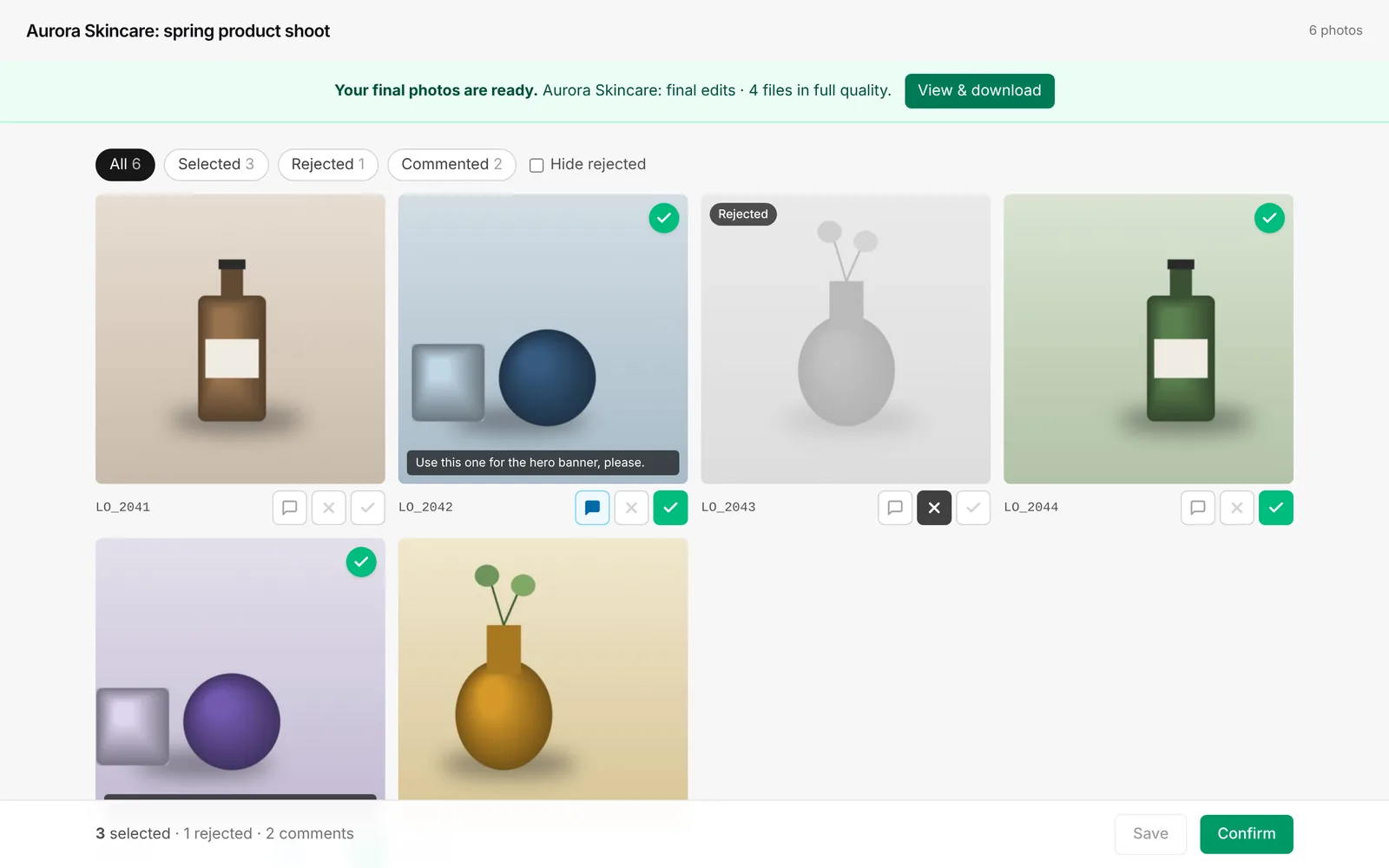
Client proofing gallery
Select
Clients select the photos they want, with a live counter of how many they've picked.
Reject and comment
Clients can reject a photo or leave a note on it, e.g. "crop tighter" or "cover photo". You see it per photo and in a CSV export.
Save as you go
Clients can save part-way and come back later to the same link.
Confirm & lock
The client confirms, and the selection becomes read-only.
No client login
Clients open a link. That's it.
Full-screen view
Clients open any photo full screen and select from there.
Protection
Password protection
Require a password before the gallery opens.
Burned-in watermark
Clients see and download proofs with a PROOF watermark burned into the image.
Lock downloads
Clients can view but not download full-size photos.
Gallery expiry
30 days on Free, 90 days with a €5 Gallery Pass, up to 2 years on Pro and Studio.
Not indexed
Client galleries are marked noindex for search engines.
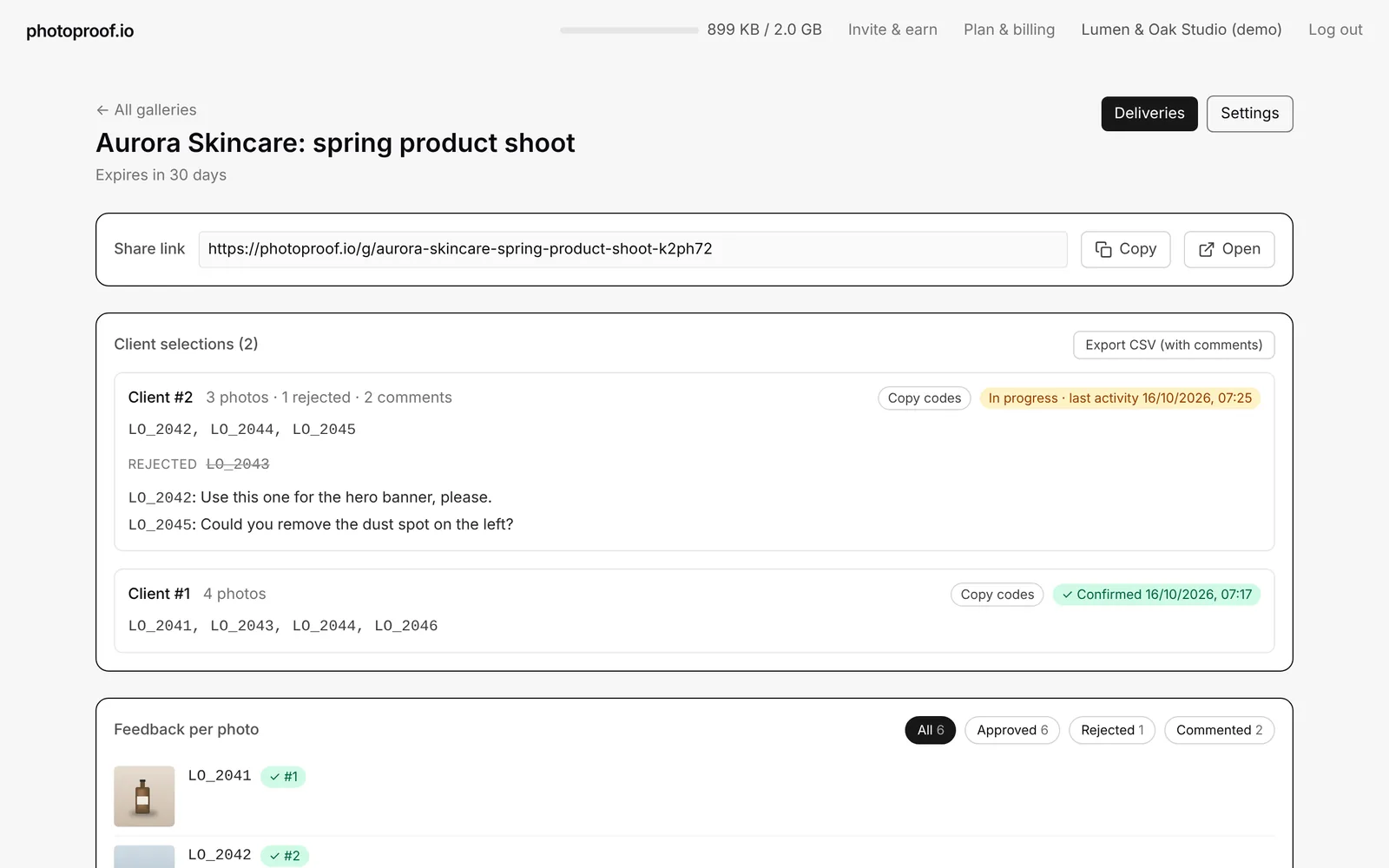
Delivery
Deliver finals
Upload final full-resolution edits after the client confirms, in the same gallery or as a separate set.
Big files
Any format, up to 4 GB per file, uploaded in chunks straight to storage.
Download all
Single files or a ZIP; large sets are split into ~2 GB ZIP parts.
Download tracking
See who downloaded which files and when (Pro and Studio).
Password & expiry
Optional expiry on every plan; password protection on Pro and Studio.
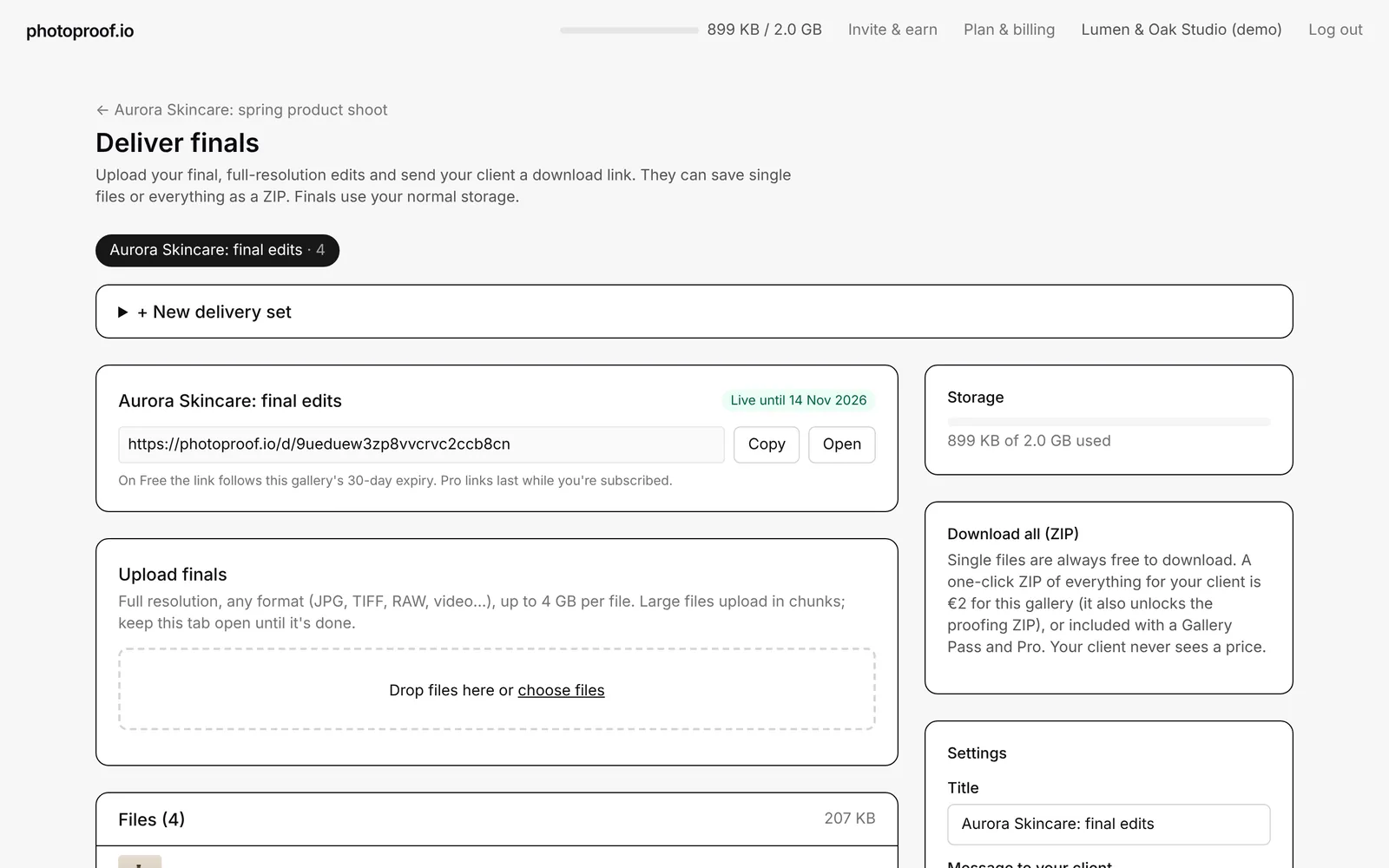
Your workflow
Fast uploads
Thumbnails are generated in your browser before upload.
Photo codes
Each client's picks listed as filenames, ready to copy into Lightroom.
Several clients per gallery
Each person who opens the link makes their own selection, listed separately.
View tracking
See when clients opened the gallery.
Formats
JPEG, PNG, WebP, GIF and TIFF for proofs; any format for delivery.
AI connector
Claude, ChatGPT and Cursor
Connect photoproof.io and ask about your galleries and client picks, or create a new gallery, in plain words.
Your account only
The assistant signs in with your photoproof.io login and only sees your own galleries. Clients stay numbered, as in the dashboard.
Disconnect anytime
Manage connections from Connected AI apps in the dashboard. It cannot delete galleries, upload photos, change your plan or email your clients.
Screenshots from a demo account with placeholder images.
New: connect photoproof.io to Claude, ChatGPT or Cursor. Set up the AI connector.
Not included: print store, video player, custom domains, portfolio website. See comparisons if you need those, including the Pixieset and SmugMug alternatives. See how a product studio uses these features in the Snapium case study.
Frequently asked questions
What does photo proofing software do?+
It puts preview images in an online gallery so a client can choose which photos they want before you edit. In photoproof.io the client selects their picks, can reject photos and comment on any photo, saves as they go and presses Confirm, which locks the selection and gives you the chosen filenames.
Are all features on the free plan?+
Every proofing feature (selection, reject, comments, Confirm, password, watermark, download lock, view tracking) is on the free plan with 2 GB of storage. Paid plans add storage, longer galleries, ZIP downloads and, on Pro and Studio, delivery tracking and delivery passwords.
Can clients leave comments or reject photos?+
Yes. On every plan a client can select a photo, reject it or leave a comment on it, filter by selected, rejected or commented, and then confirm. You see each client's picks, rejects and comments in your dashboard and can export them as a CSV. One clear decision per photo, plus a note where needed.
How do I get the client's selection into Lightroom?+
Your gallery dashboard lists each client's selected photos as filenames. Copy the list and paste it into Lightroom's filename filter to show only the chosen photos.
Can I deliver the final photos with photoproof.io?+
Yes. Click Deliver finals on a gallery, upload the edited files (any format, up to 4 GB each) and share the link. Clients download single files or a ZIP.
What isn't included?+
There is no print store, no video player, no custom domain and no portfolio website. If you need those, our comparisons with Pixieset, SmugMug, Pic-Time and others say honestly where they are the better fit.
Can I use photoproof.io with Claude, ChatGPT or Cursor?+
Yes. Connect the AI connector at photoproof.io/mcp with your photoproof.io login. You can ask about galleries and client selections, get Lightroom file names, or create a new empty gallery. It works on every plan, including Free.